 English
 Arabic

TradingView vs MetaTrader 5 (MT5): Which Platform Is Right for You in 2026?
 https://www.tradingview.com/?aff_id=170678
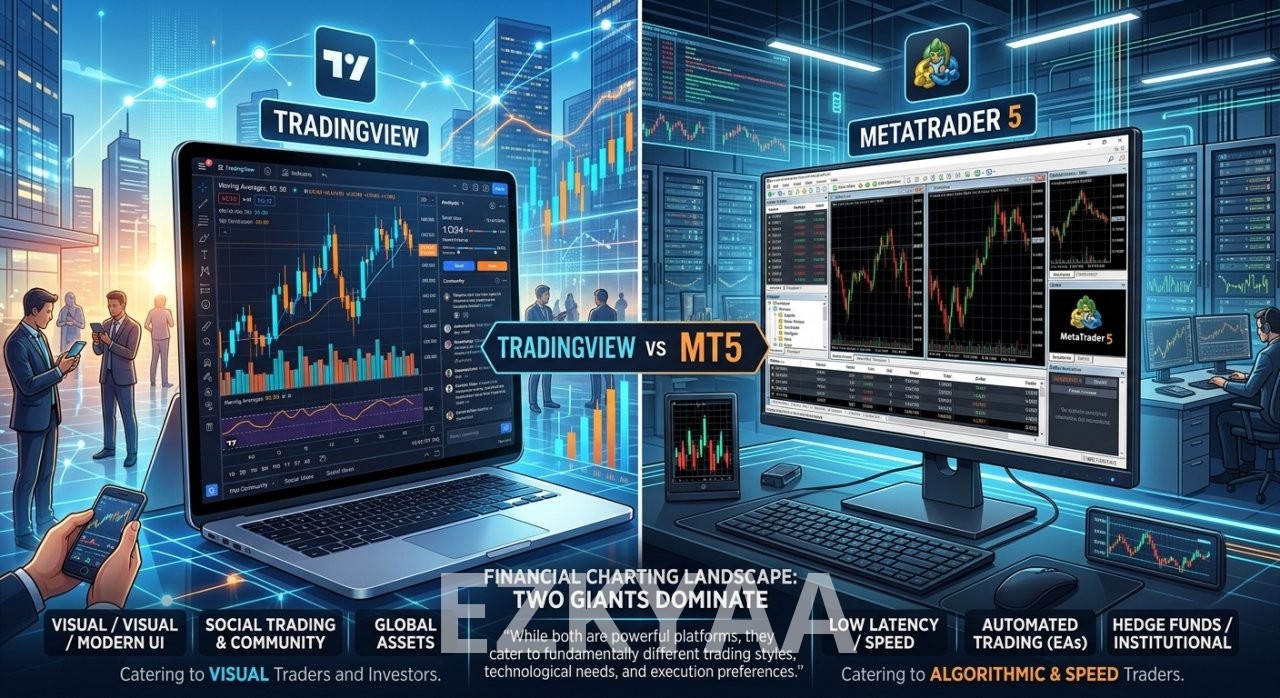
This comprehensive guide breaks down the core differences, strengths, and weaknesses of TradingView and MetaTrader 5 to help you choose the ideal platform for your strategy in 2026.
Special Offer: Ready to upgrade your charting experience?
????
Click here to join TradingView and claim an instant $15 discount on your plan
Overview: The Fundamental Difference
Before diving into features, it is important to understand the core philosophy behind each platform:
-
TradingView is a modern, cloud-based charting and social networking platform built for advanced technical analysis, market screening, and cross-device accessibility. It works seamlessly in any browser without installation.
-
MetaTrader 5 (MT5) is a desktop-first, broker-centric trading platform developed by MetaQuotes, designed primarily for multi-asset trade execution, algorithmic trading, and Expert Advisor (EA) development.
Key Feature Breakdown & Comparison
1. User Interface and Accessibility
-
TradingView: Features an ultra-modern, intuitive, and highly customizable user interface. Since it is cloud-based, your charts, drawings, and indicator setups automatically sync across desktop, web browsers, and mobile devices in real time.
-
MetaTrader 5: Retains a more traditional, legacy Windows-style interface. While functional, it requires manual setup and workspace configuration, and chart sync across multiple devices is less fluid than TradingView.
2. Charting Tools & Indicators
-
TradingView: Widely regarded as the industry benchmark for visual chart analysis. It offers 100+ native indicators, 50+ smart drawing tools, and access to a community library with over 100,000 custom user-built indicators.
-
MetaTrader 5: Offers 38 built-in technical indicators and 44 analytical objects. While MT5 is extremely accurate, setting up complex multi-timeframe chart layouts requires more effort compared to TradingView’s drag-and-drop flexibility.
3. Automated Trading & Custom Scripting
-
TradingView (Pine Script): Uses Pine Script, a lightweight, elegant programming language designed specifically for building custom indicators and backtesting trading strategies with minimal code.
-
MetaTrader 5 (MQL5): Uses MQL5, an object-oriented, C++ based language. MQL5 is significantly more powerful for building complex Expert Advisors (automated trading bots) and conducting tick-by-tick strategy backtesting with multi-currency support.
4. Broker Integration & Order Execution
-
TradingView: Traditionally focused on analysis, TradingView now supports direct broker integration with a growing list of global brokers (including OANDA, Interactive Brokers, Tradovate, and Forex.com). It also supports Webhook alerts for automated execution.
-
MetaTrader 5: The undisputed king of direct broker compatibility. Thousands of Forex, CFD, and futures brokers support MT5 natively, providing direct market access, instant order routing, and low-latency execution.
TradingView vs MT5: Side-by-Side Comparison
| Feature / Capability | TradingView | MetaTrader 5 (MT5) |
| Primary Strength | Visual Analysis & Multi-Asset Charting | Trade Execution & Automated Bots (EAs) |
| Platform Type | Cloud-based (Browser, Web, Mobile, App) | Desktop Software (Windows, Mac, Web, Mobile) |
| Programming Language | Pine Script (Easy to learn) | MQL5 (Advanced C++ style) |
| Custom Indicators | 100,000+ Community Scripts | MQL5 CodeBase / Market |
| Chart Syncing | Automatic Cloud Sync across all devices | Device-dependent / Manual setup |
| Automated Trading | Webhooks to External Bots / Select Brokers | Native Expert Advisors (EAs) |
| Social Community | Built-in (Millions of shared ideas & scripts) | MQL5 Community Forum |
| Pricing | Free Basic Plan + Paid Tiers ($15–$60/mo) | 100% Free (Provided by your broker) |
Which Platform Should You Choose?
Choose TradingView if:
-
You prioritize clean, fast, and responsive chart analysis across all devices.
-
You trade multiple markets (Crypto, Forex, US Stocks, Gold) and want all charts in one place.
-
You want access to a massive global community of traders and shared custom indicators.
-
You want to easily backtest strategies without writing hundreds of lines of complex code.
Choose MetaTrader 5 if:
-
You rely heavily on automated trading bots, Expert Advisors (EAs), and high-frequency trading.
-
Your primary focus is low-latency order execution directly with your preferred Forex/CFD broker.
-
You require deep tick-data strategy tester capabilities with multi-currency testing.
-
You prefer a completely free desktop terminal provided by your broker.
Pro Tip: Using Both Platforms Together
Many professional traders do not limit themselves to just one platform. A highly popular hybrid strategy is using TradingView for market analysis, screening, and alert setup, while keeping MetaTrader 5 open for order execution and managing active positions.
This combination allows you to leverage TradingView’s superior visual tools alongside MT5’s reliable broker execution engine.
Final Verdict
Both TradingView and MetaTrader 5 are exceptional tools, but they serve different core purposes. If visual analysis, ease of use, and cross-platform flexibility matter most to you, TradingView is the clear winner. If raw execution speed and automated EA trading are your highest priorities, MetaTrader 5 remains a powerhouse choice.
???? Ready to transform your technical analysis?
Experience world-class charting tools today and save on your subscription:
????
Click here to get started on TradingView with a $15 discount